Delete your account
Account deletion is permanent. Read the consequences before requesting the verification code.
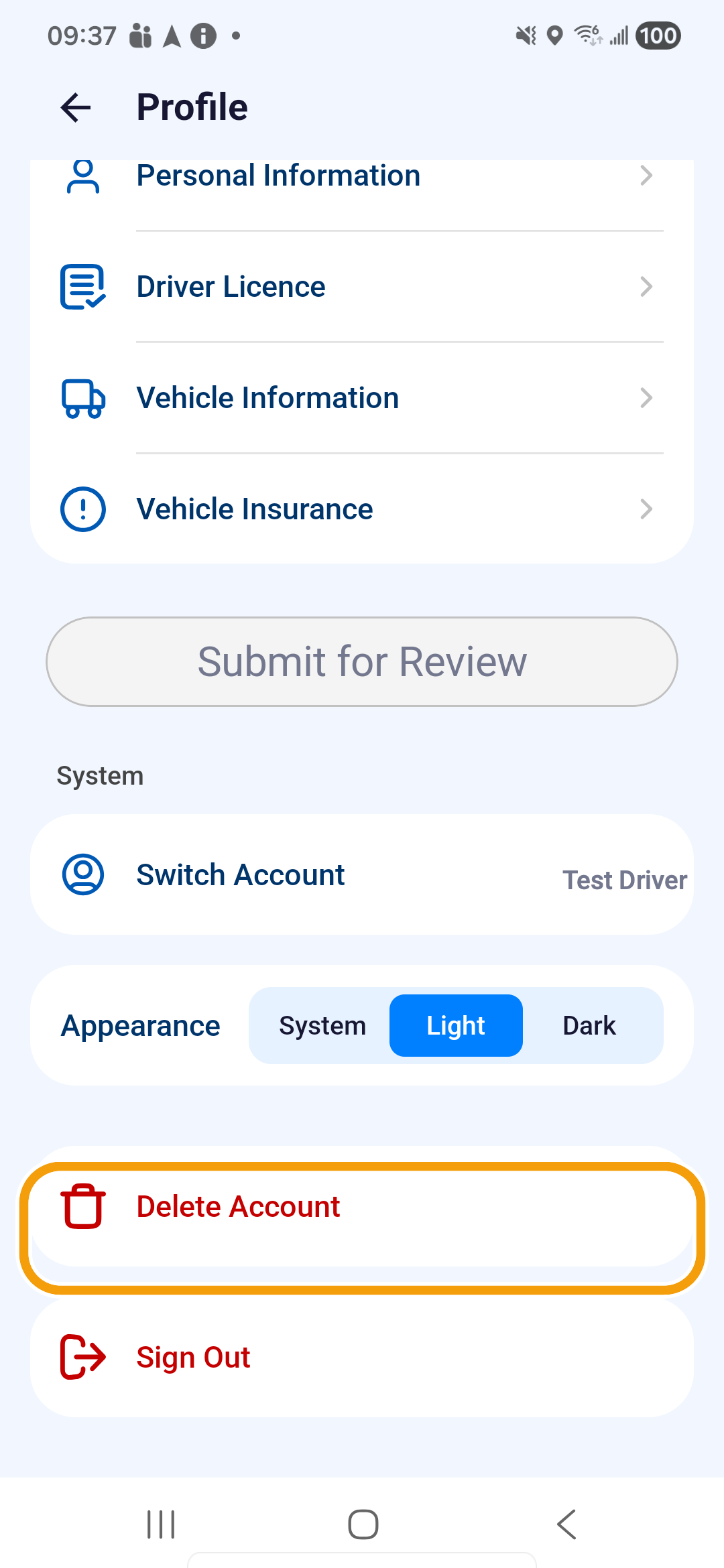
Where to find it: Home bottom bar › Profile › System › Delete Account.
Before you continue
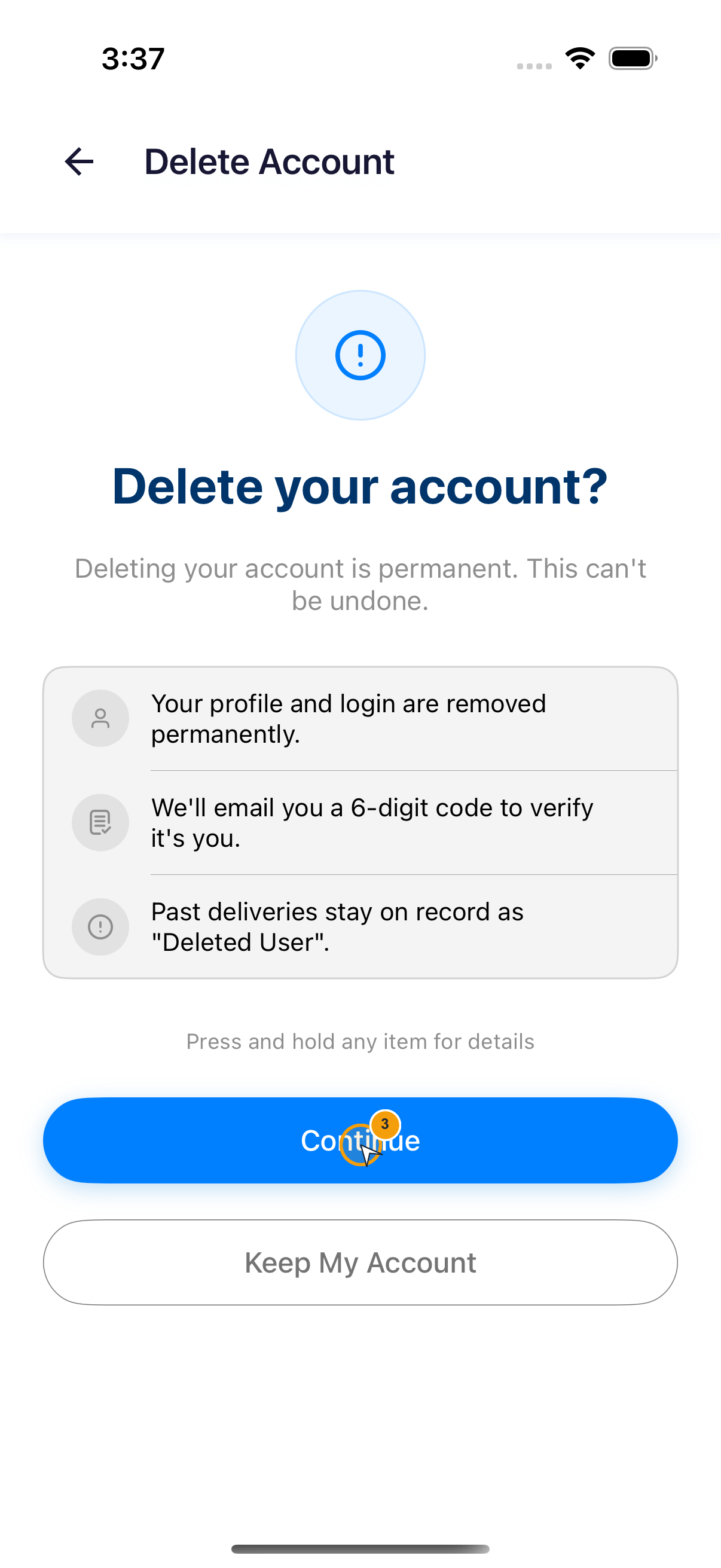
- Your profile and login are removed permanently.
- We'll email you a 6-digit code to verify it's you.
- Past deliveries stay on record as “Deleted User”.
- Open Profile and scroll to System.
- Tap Delete Account.
- Read Delete your account?. Tap Keep My Account to stop, or Continue to proceed.
- Enter the 6-digit code sent to your registered email. Verification starts when all six digits are entered.
- Enter the deletion reason, using no more than 500 characters.
- Tap Delete My Account.
- At Delete Account?, tap Delete only when you intend to permanently remove the account.
- Wait for Account Deleted.
Verification, reason and final confirmation
- After requesting a deletion code, check the masked email address on screen and use that inbox.
- Check junk mail before using the resend countdown. Incorrect or expired codes cannot continue. A login SMS code is not the deletion email code.
- Enter a meaningful reason; whitespace alone is not accepted. Then tap Delete My Account.
- Cancel closes the final confirmation; Delete submits the deletion.
- After Account Deleted, tap OK to finish. On failure, read the error rather than assuming the account was deleted because you tapped Delete.
You'll know it worked when
The app shows Account Deleted and the deleted login can no longer open the account.