Log in to the app
An approved driver account signs in with the same mobile number you registered with. This page walks you through two things on the Welcome aboard. screen: enter your mobile to request a code, then enter the 6-digit SMS code to reach Home.
Where to find it: your phone's home screen → SendItGo (app icon) → Welcome aboard.
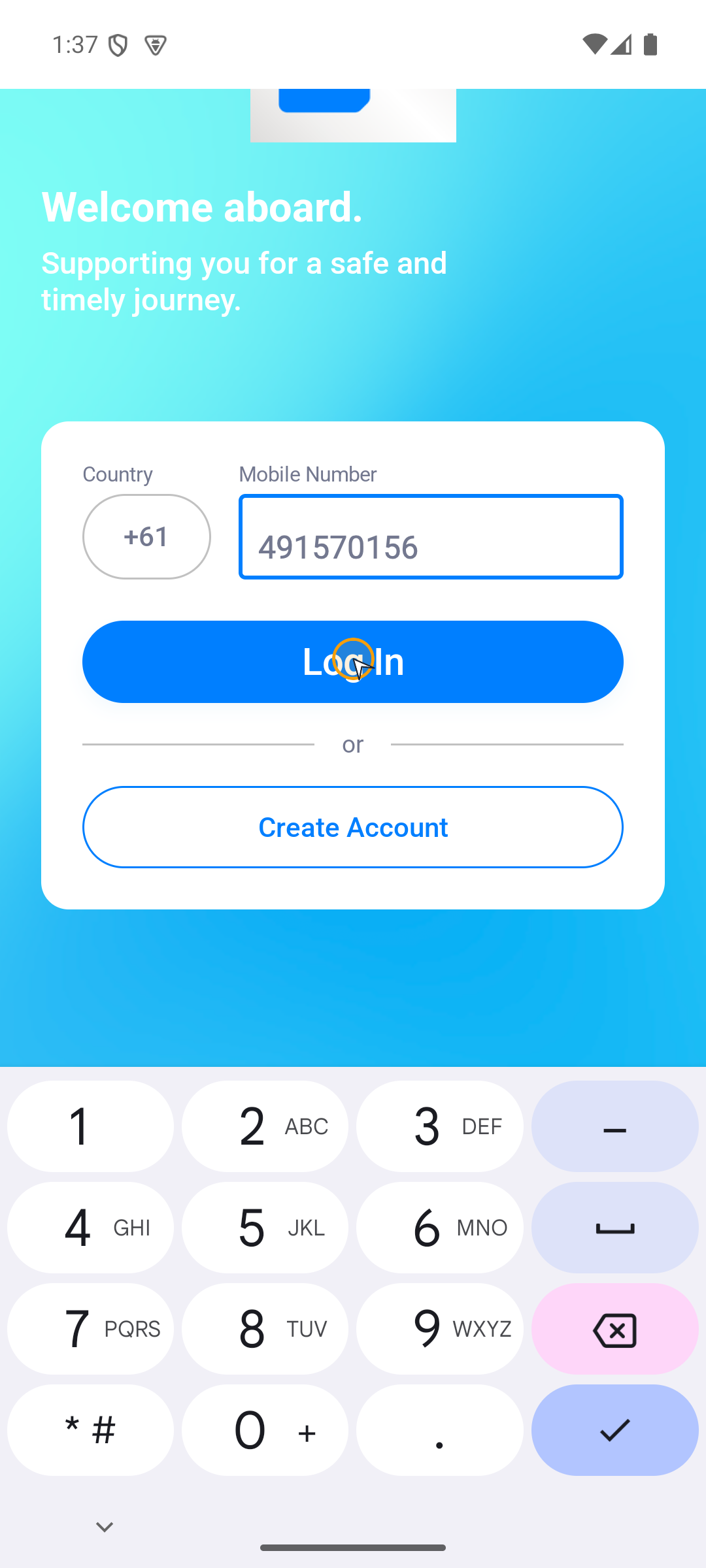
Step 1: Enter your mobile number and request the code
On the Welcome aboard. screen, enter your mobile number and submit. The app sends an SMS verification code to that number.
On this step: SendItGo → Welcome aboard. screen.
- Choose the correct country code.
- Enter your local mobile number without repeating the country code.
- Tap Log In.
Step 2: Enter the SMS code to open Home
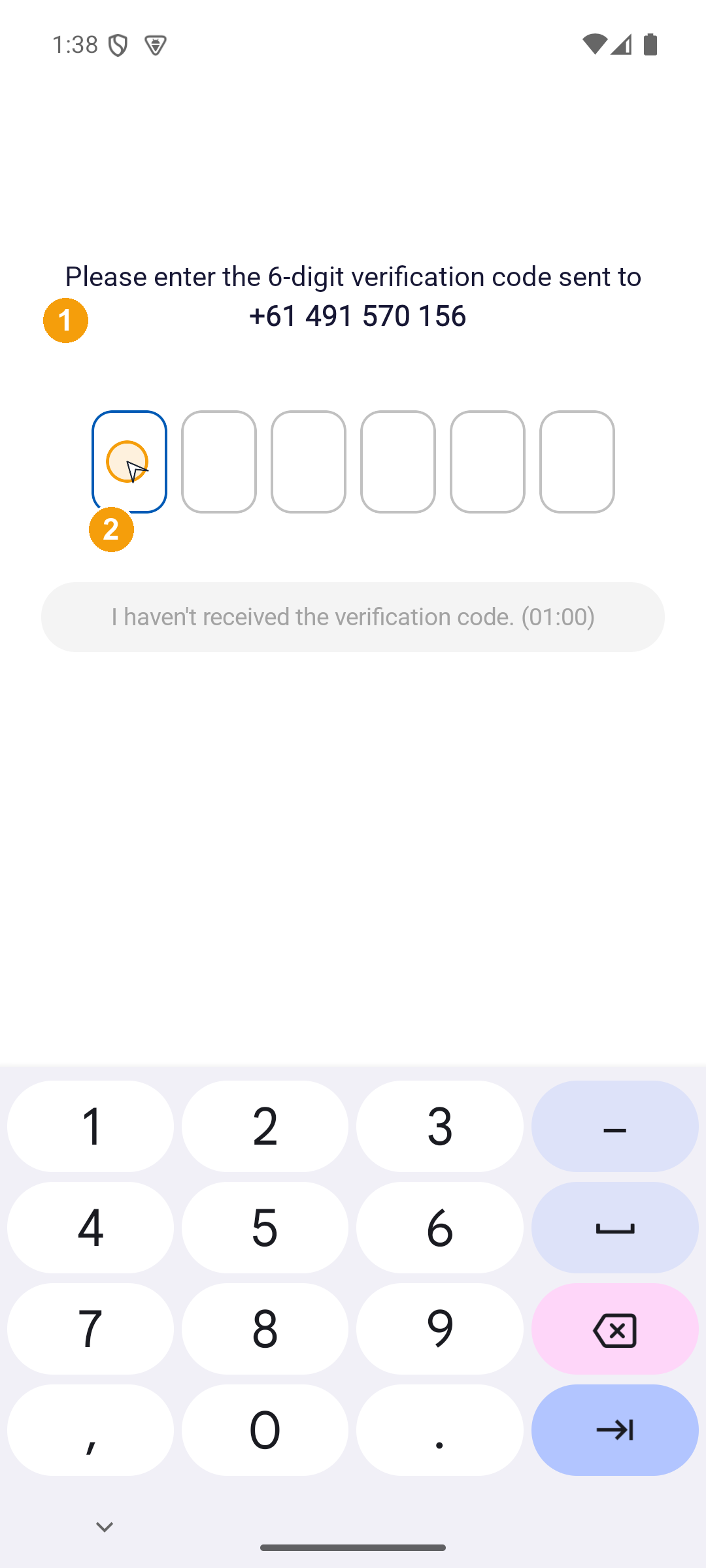
Once the SMS arrives, return to the app and enter each digit in sequence. The app verifies automatically and opens Home – no extra button to tap.
On this step: Welcome aboard. → verification code entry screen.
- Enter the 6-digit code from the SMS, starting in the first box.
- When all six boxes are filled, the app verifies automatically.
- On success the app opens Home directly, and you can start work.
If the code does not arrive, check the mobile number, wait for the countdown to finish, then request a resend. If the account is still under review or blocked, follow Account waiting or blocked.
What can appear after verification
After SMS verification, the app sends you to different screens depending on your account state. This table lists the four possible outcomes and what to do about each:
| Screen | Next action |
|---|---|
| Home | Check the account and route, then start today's work. |
| Account not found | Check the mobile number first. Only tap Create Account when you actually intend to register a new account. |
| Account setup incomplete | Tap Continue Registration to resume an unfinished registration instead of starting a new one. |
| Review, amendment, or blocked status | Follow that status. Successful SMS verification does not mean the account is approved. See Account waiting or blocked. |
Use the verification screen's back arrow to check the mobile number. After a resend, use the latest SMS and wait for automatic verification. Read any error on screen before requesting another code.
Home opens with your driver profile and today's work.
Next steps
- Complete your first run: a walkthrough of one full delivery day.
- See today's route: get familiar with the route cards and the bottom navigation.