Review attendance records
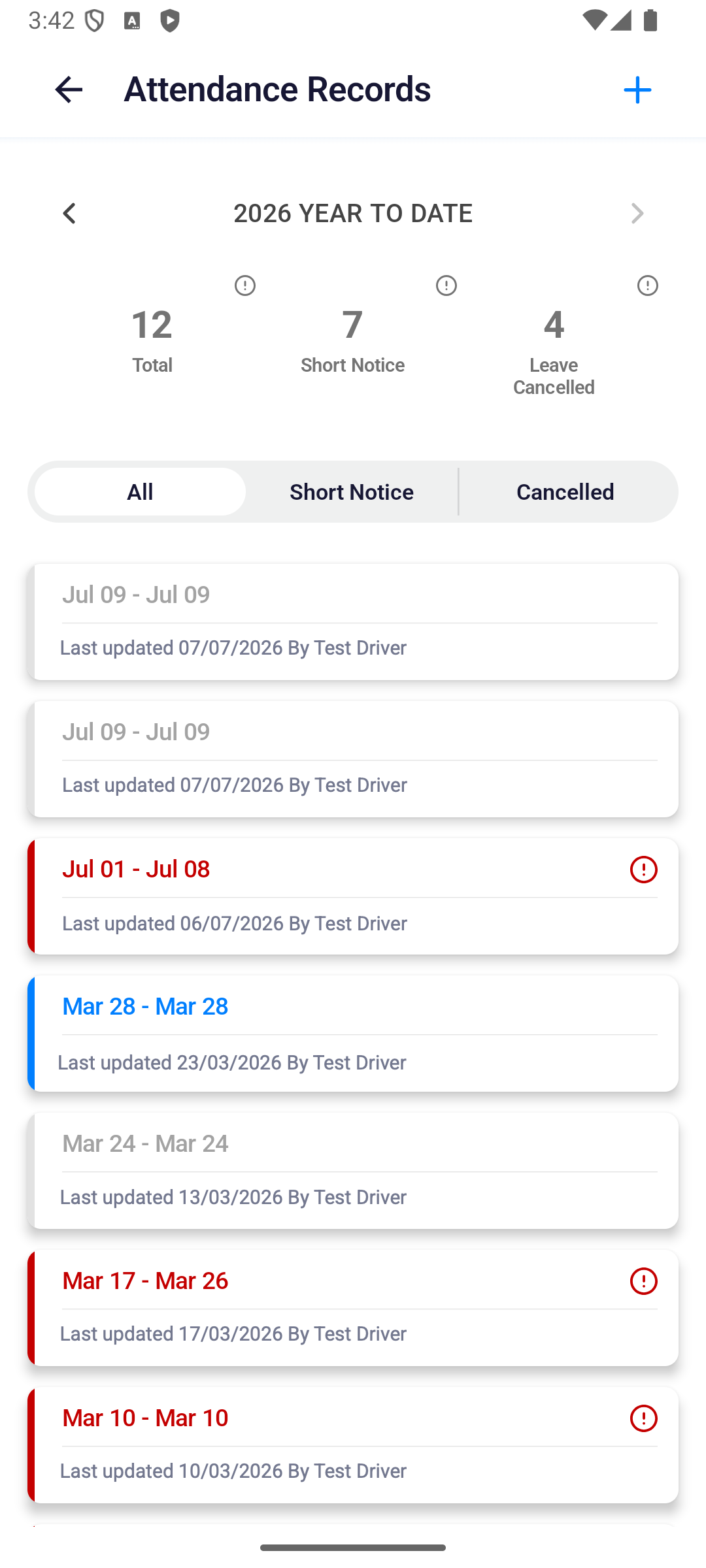
Use Attendance Records to review annual leave totals and individual requests. These are leave records, not clock-in or clock-out records.
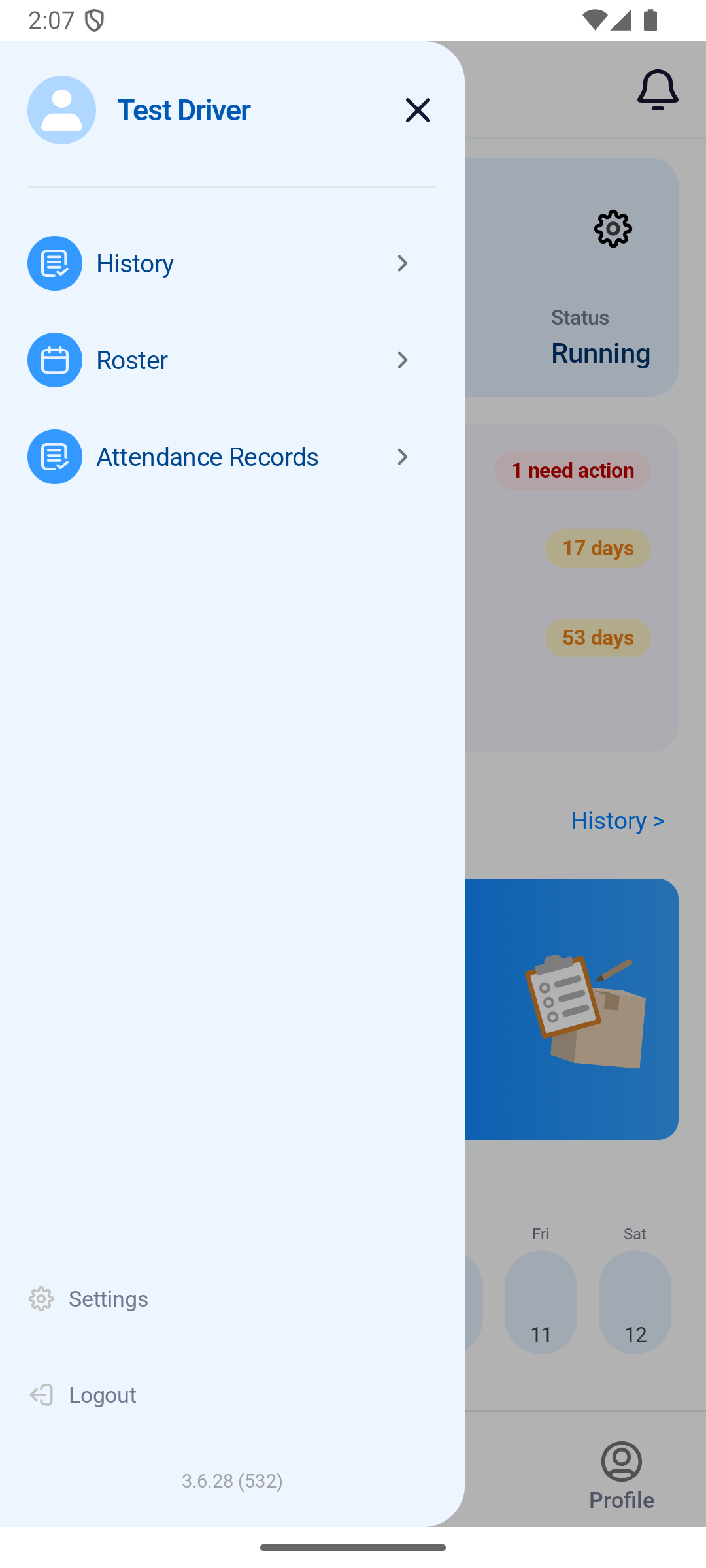
Where to find it: dashboard menu › Attendance Records. You can also use Roster › more menu › Attendance Records.
You'll know it worked when
The selected year, totals, and matching leave cards are visible.
- Open the menu and tap Attendance Records.
- Use the year arrows to change the reporting year.
- Choose All, Short Notice, or Cancelled.
- Tap a record to review its dates and latest update.
The summary counts requests for the selected year:
| Figure or filter | What it means |
|---|---|
| Total | The number of leave requests in the selected year’s list, not the number of hours. |
| Short Notice | Short-notice requests that have not been cancelled. Choose this filter to see those cards. |
| Leave Cancelled | The number of cancelled requests. Choose Cancelled to see their cards. |
| All | All requests in the selected year, including cancelled ones. |
A card shows its leave dates, last update and who made the update. Tap it to open Leave Details and check its reason and activity log. Use the plus button at the top right to open Request Leave.