Delete your account
Account deletion is permanent. Read the consequences before requesting the verification code.
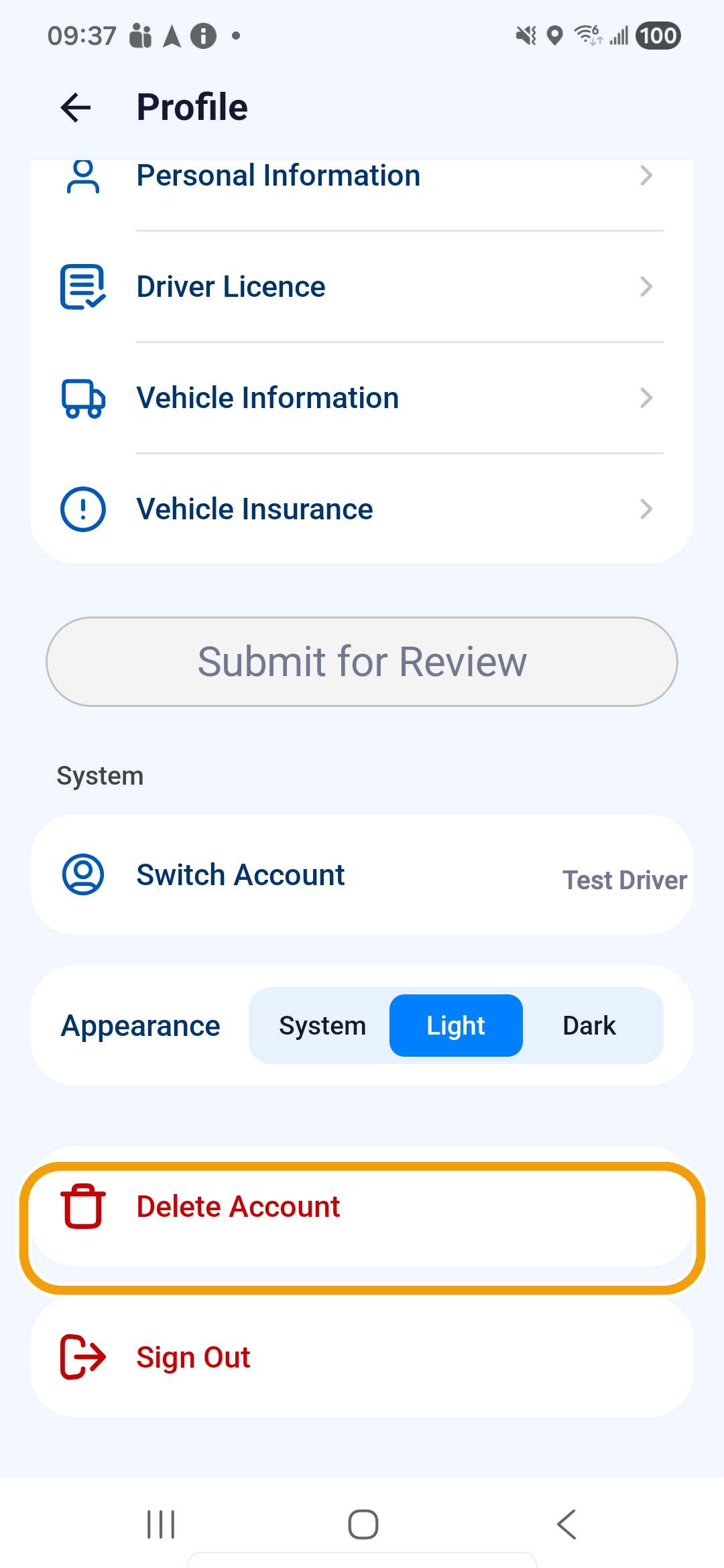
Where to find it: dashboard bottom bar › Profile › System › Delete Account.
You'll know it worked when
The app shows Account Deleted and the deleted login can no longer open the account.
Before you continue
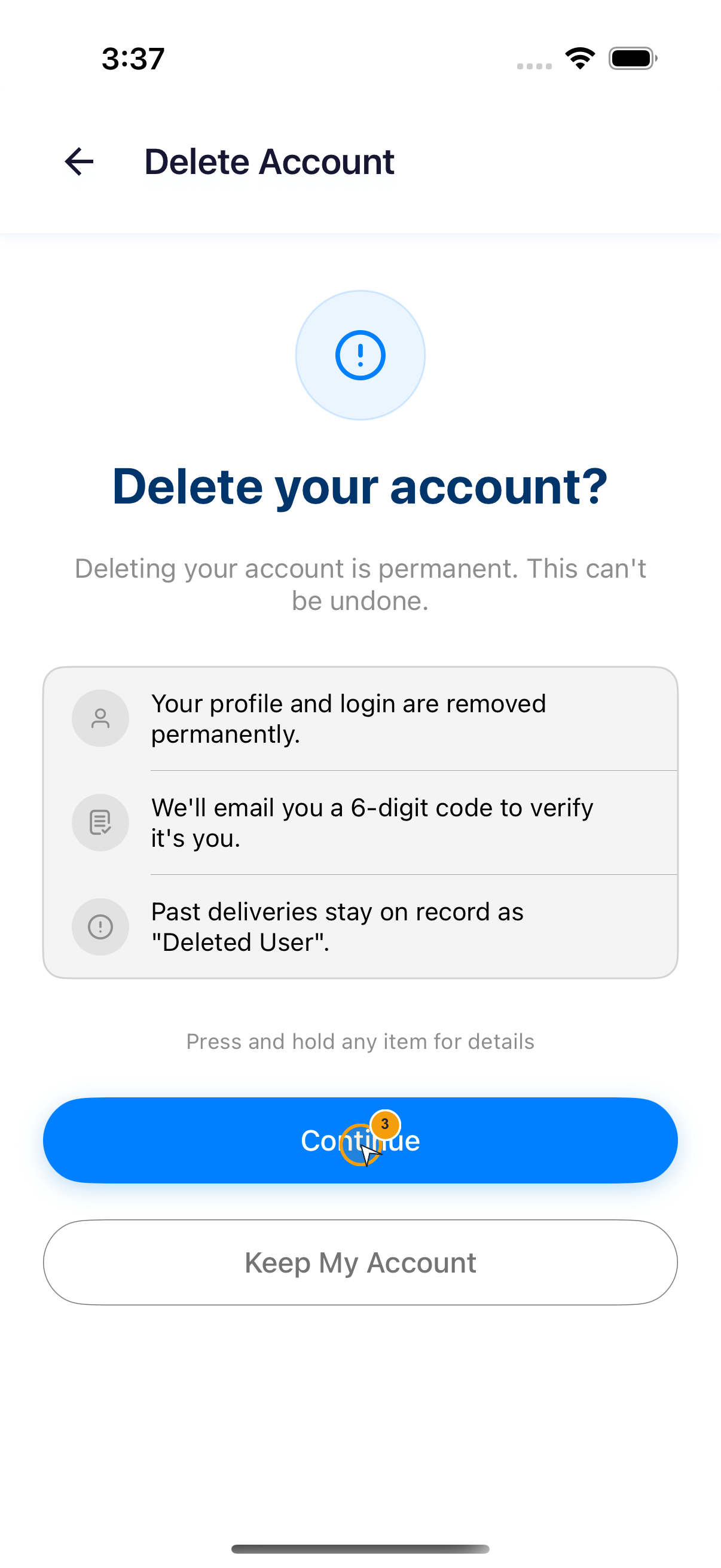
- Your profile and login are removed permanently.
- We'll email you a 6-digit code to verify it's you.
- Past deliveries stay on record as “Deleted User”.
- Open Profile and scroll to System.
- Tap Delete Account.
- Read Delete your account?. Tap Keep My Account to stop, or Continue to proceed.
- Enter the 6-digit code sent to your registered email. Verification starts when all six digits are entered.
- Enter the deletion reason, using no more than 500 characters.
- Tap Delete My Account.
- At Delete Account?, tap Delete only when you intend to permanently remove the account.
- Wait for Account Deleted.