Get started with the driver app
Screenshots use demonstration details. Personal fields and location evidence may be removed; “Withheld” marks information hidden in this manual.
Where to find it: your phone home screen › SendItGo.
After installing and opening SendItGo, follow the sign-in prompts. If this is your first time, create an account.
The driver app is called SendItGo on both Android and iPhone. It guides the phone side of your daily delivery work. Both iPhone and Android support the delivery tasks described here. Screenshots identify the platform, and individual procedures explain relevant differences. This manual follows the same order as your work, so you can start with your current task and move forward one step at a time.
Use it to:
- check your roster, request leave, and review attendance;
- start or continue an assigned route;
- navigate to each stop, confirm arrival, and scan packages;
- report package exceptions and capture proof of delivery;
- recover from route updates or short connection outages;
- review delivery history and maintain your profile.
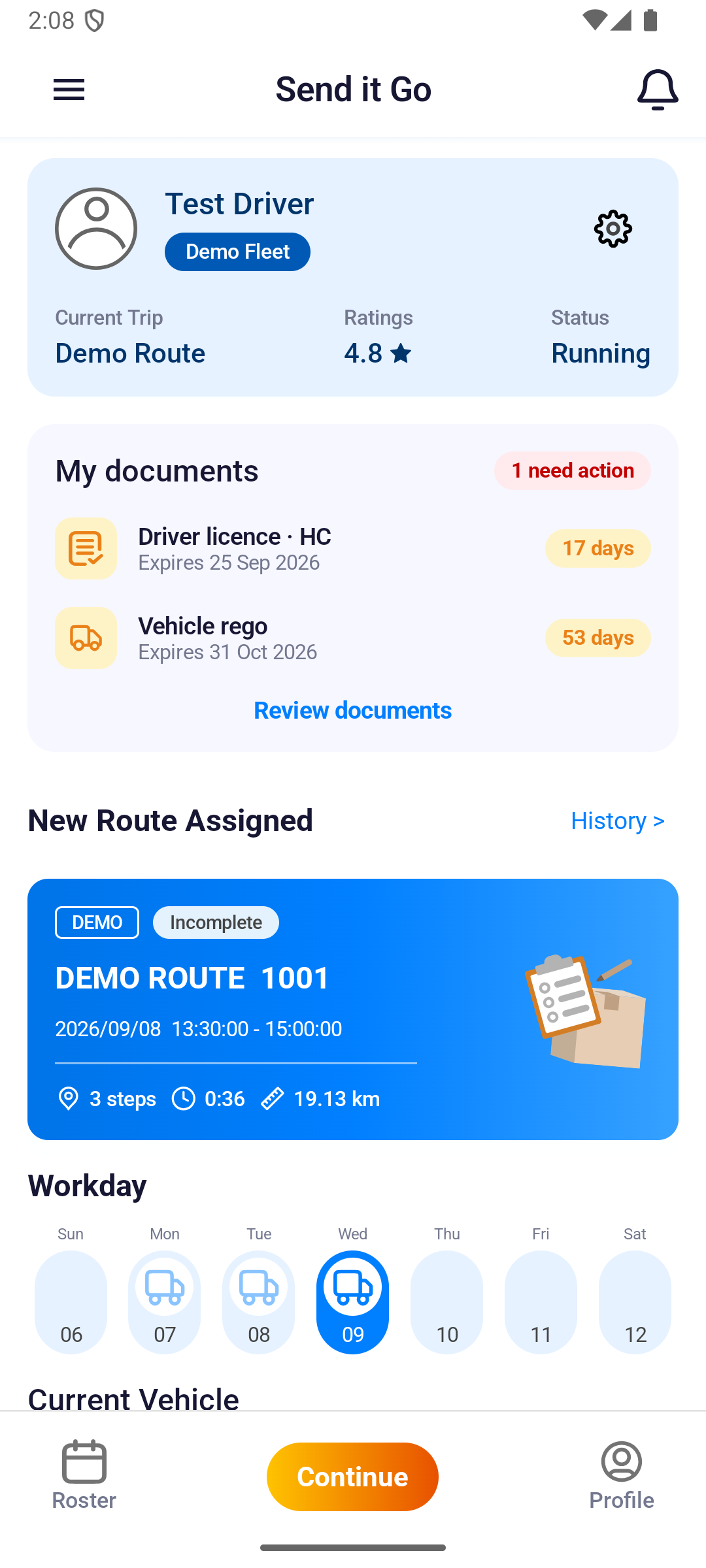
The bottom bar is Roster | Go! / Continue | Profile.
Getting the app
- On Android, install SendItGo from Google Play. The app then checks Google Play for a newer version each time it starts. A copy installed any other way skips that check.
- On iPhone, install SendItGo from TestFlight. If Update Required appears, update through TestFlight and reopen the app.
- For a new account, follow Create an account. Existing users can follow Log in on the phone.
Follow the delivery-day sequence
- Get access: log in to an existing account, or create an account and accept the terms before submitting registration.
- Prepare: check today's route and stop order on the dashboard.
- Run the route: navigate, confirm arrival, and scan packages.
- Complete the stop: report any exception, collect proof, and wait for Stop Complete!.
- Finish and review: complete the route, then use roster, attendance, history, or profile when needed.
You do not need to read every page before starting. Run your first shift provides the shortest end-to-end path; the other pages explain individual screens and unusual situations.