Review terms and submit registration
Review the current privacy notice and terms after completing your registration details, then accept them to enable Submit.
Where to find it: Create Account › Prepare Your Documents › complete all three document sections.
You'll know it worked when
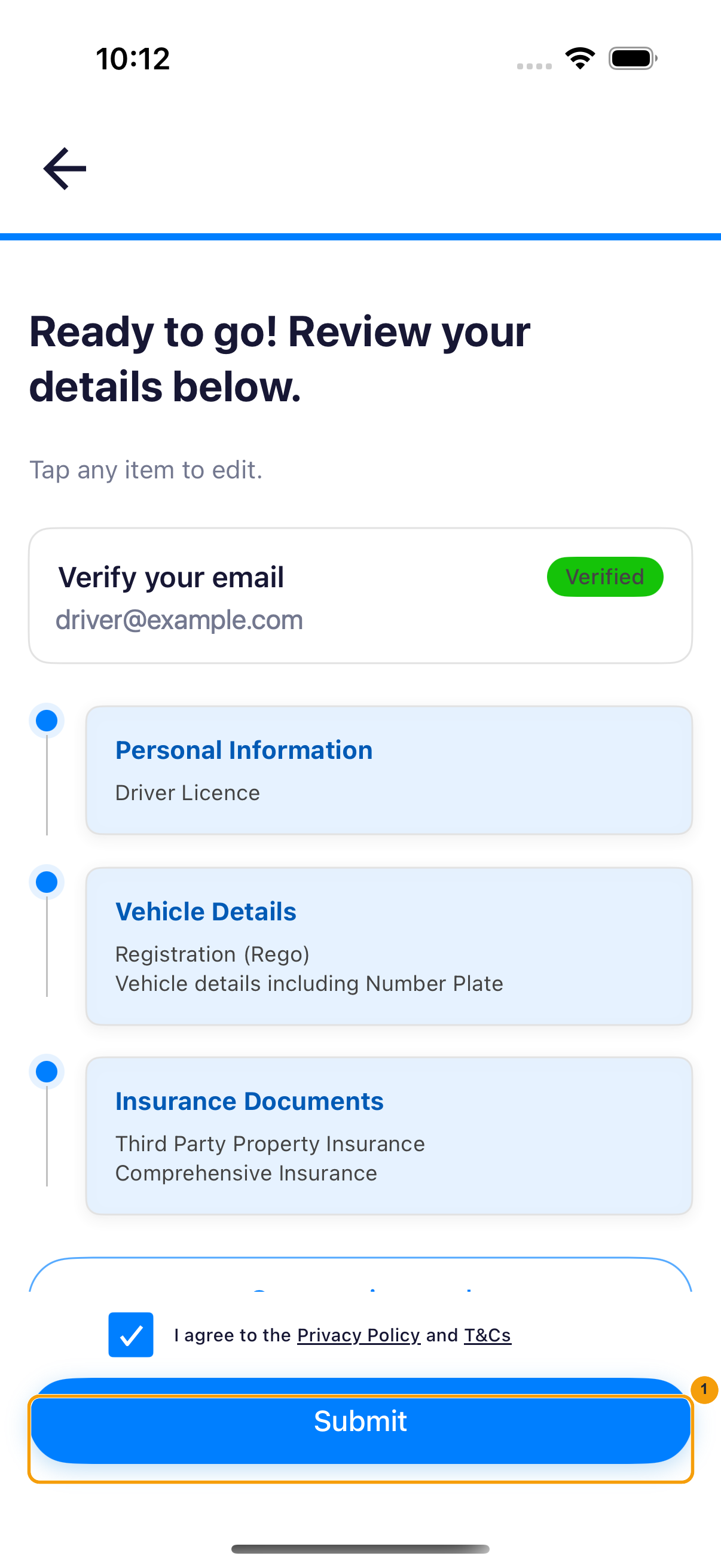
The agreement box is checked, Submit is blue and available, and submission opens Verification in Progress.
Current flow
The agreement is part of the final registration review. It is not a separate agreement screen shown before the Welcome aboard. page.
Before you continue
- Confirm that Personal Information, Vehicle Details, and Insurance Documents are complete.
- Correct any section that does not match your current documents.
- Allow enough time to read the versions displayed in the app; they may differ from an older screenshot.
1. Open and read the documents
- On Ready to go! Review your details below., check the verified email and all three completed sections.
- Tap Privacy Policy and read the document, then close it with Done.
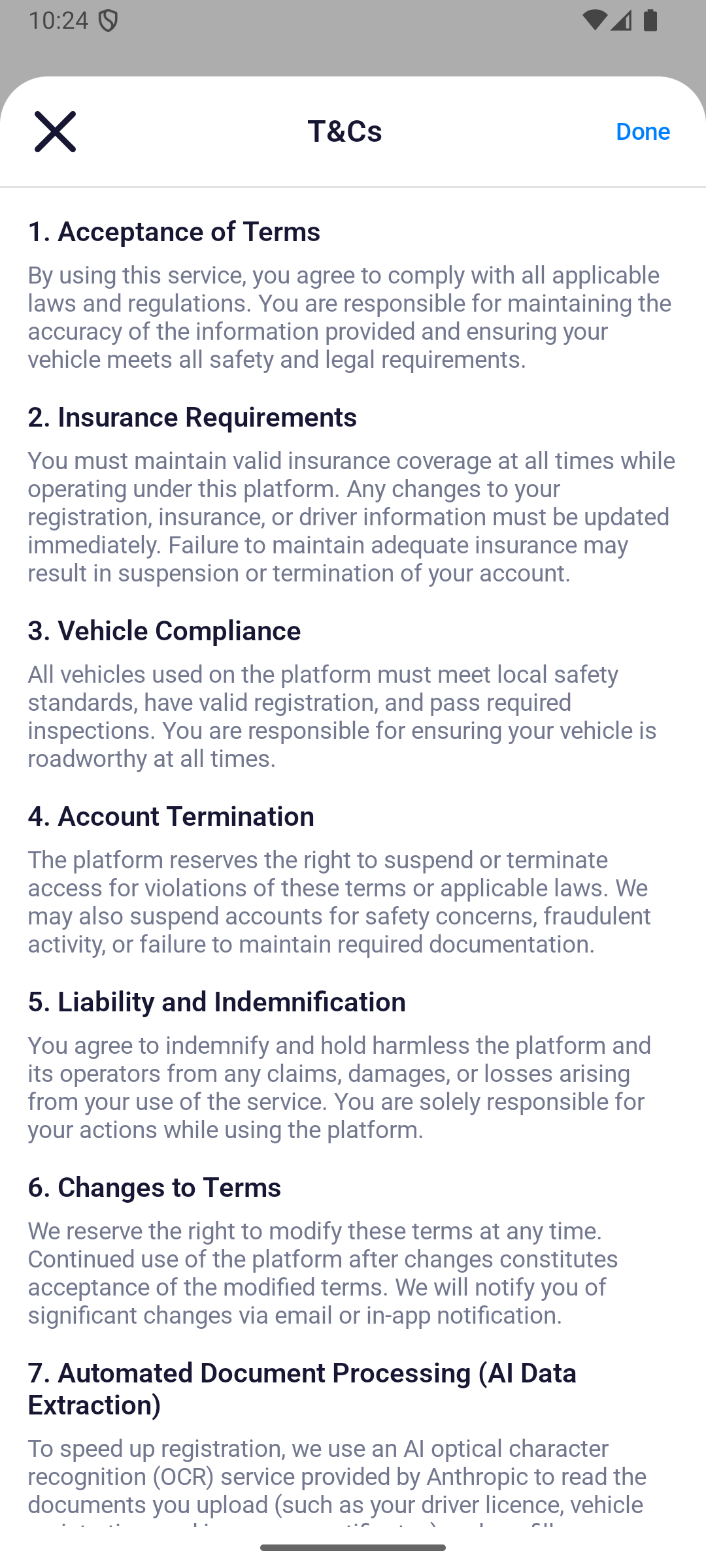
- Tap T&Cs, read the terms, then close them with Done.
2. Accept and submit
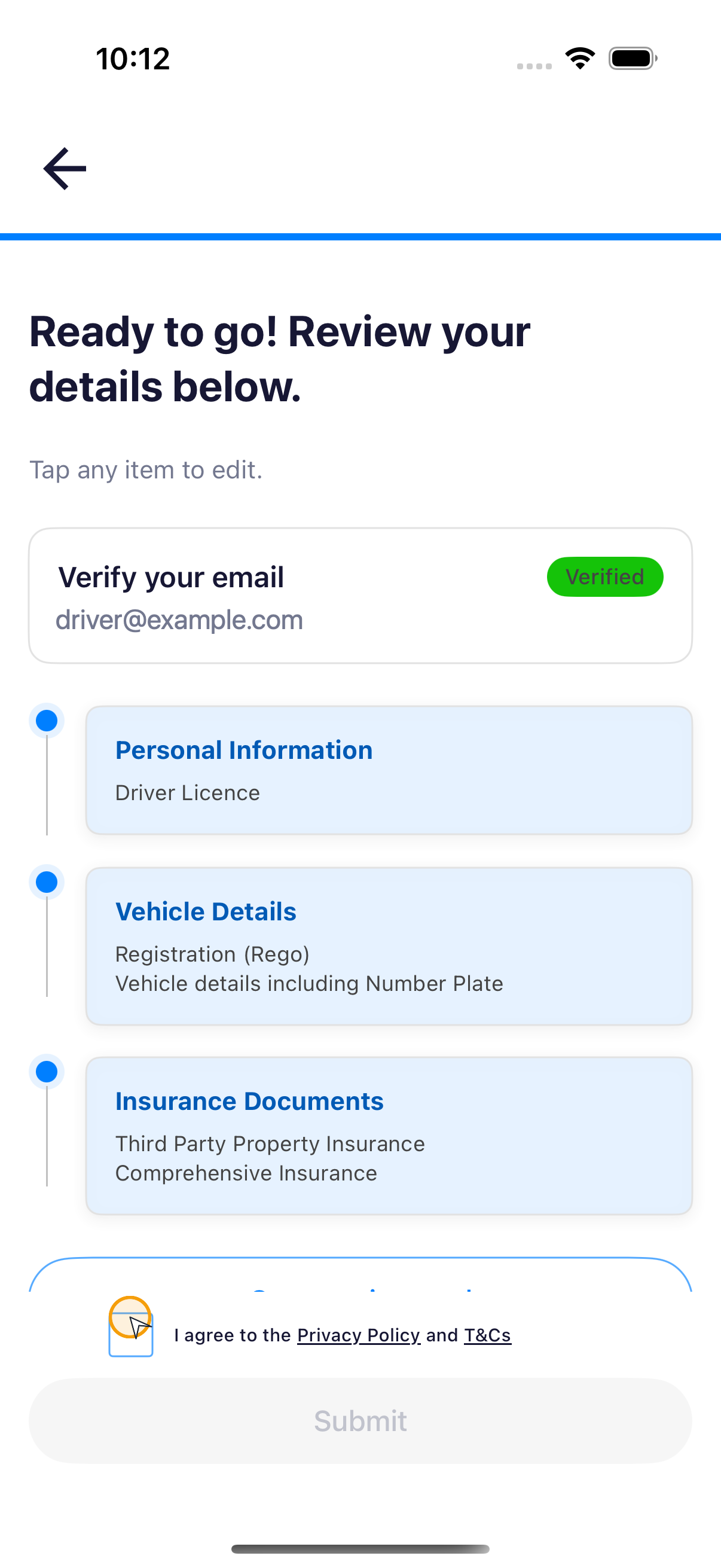
- Select the box beside I agree to the Privacy Policy and T&Cs.
note
Submit remains unavailable until the agreement box is selected.
- Confirm that Submit turns blue, then tap it once.
- Wait for the app to show Verification in Progress. Do not close the app or tap Submit again while it is processing.