iPhone and Android
Your job is the same on both phones. The following tables explain common navigation and system differences; individual procedures describe any additional platform-specific steps.
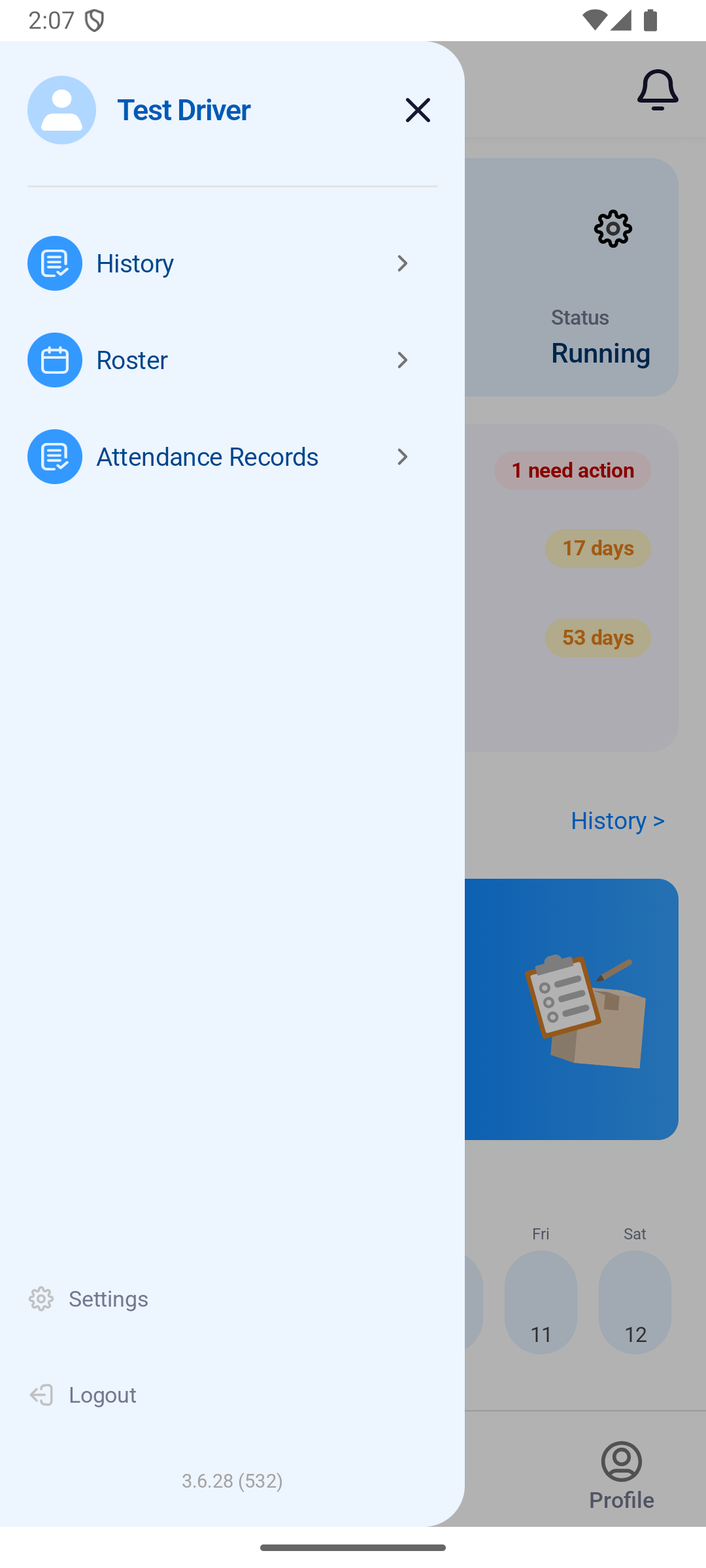
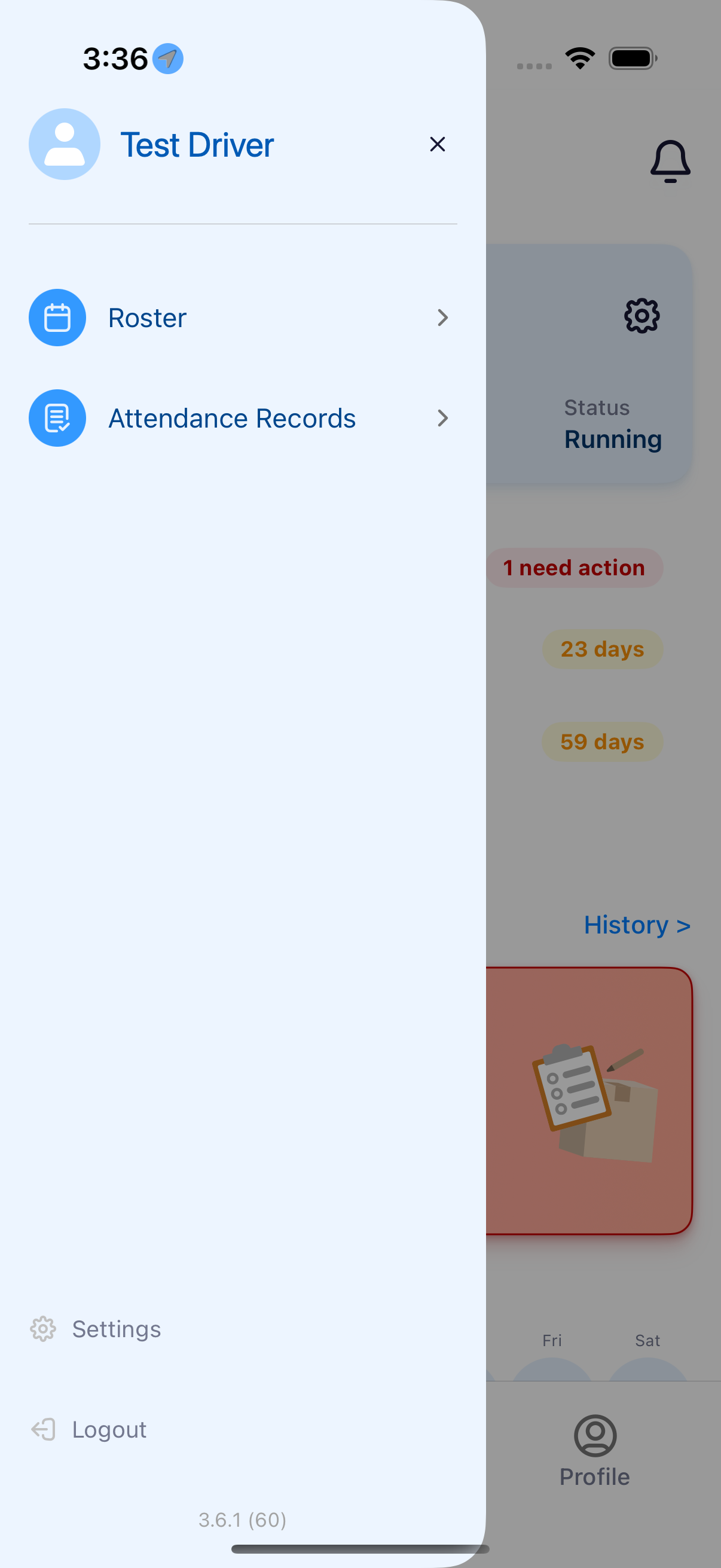
Where to find it: SendItGo › dashboard › the menu icon at the top left.
The app is named SendItGo on both platforms.
You'll know it worked when
The menu slides in over the dashboard with your name at the top. Android lists History, Roster and Attendance Records. The current iPhone menu also includes History, alongside Roster and Attendance Records.
iPhone
| Task | What to use |
|---|---|
| Open delivery history | Tap History >, beside New Route Assigned on the dashboard, or History in its menu |
| Go back | Tap the back arrow in the app's own header |
| Permissions | Allow location, camera and notifications. iOS writes the prompt, so the wording is Apple's |
Android
| Task | What to use |
|---|---|
| Open delivery history | Tap History > on the dashboard, or History in the menu |
| Go back | Tap the back arrow in the app's own header, or use the Android back gesture |
| Permissions | Allow location, camera and notifications. Android writes the prompt, so the wording is Google's |