Report a package exception
Use Report Exceptions only for a package problem at the current stop.
Where to find it: active route › current stop › package row more menu › Report Exceptions.
The confirmation closes and the submitted exception appears against the affected order or package.
Check whether the entry is available
On iPhone and Android, open the package-row more menu, then tap Report Exceptions.
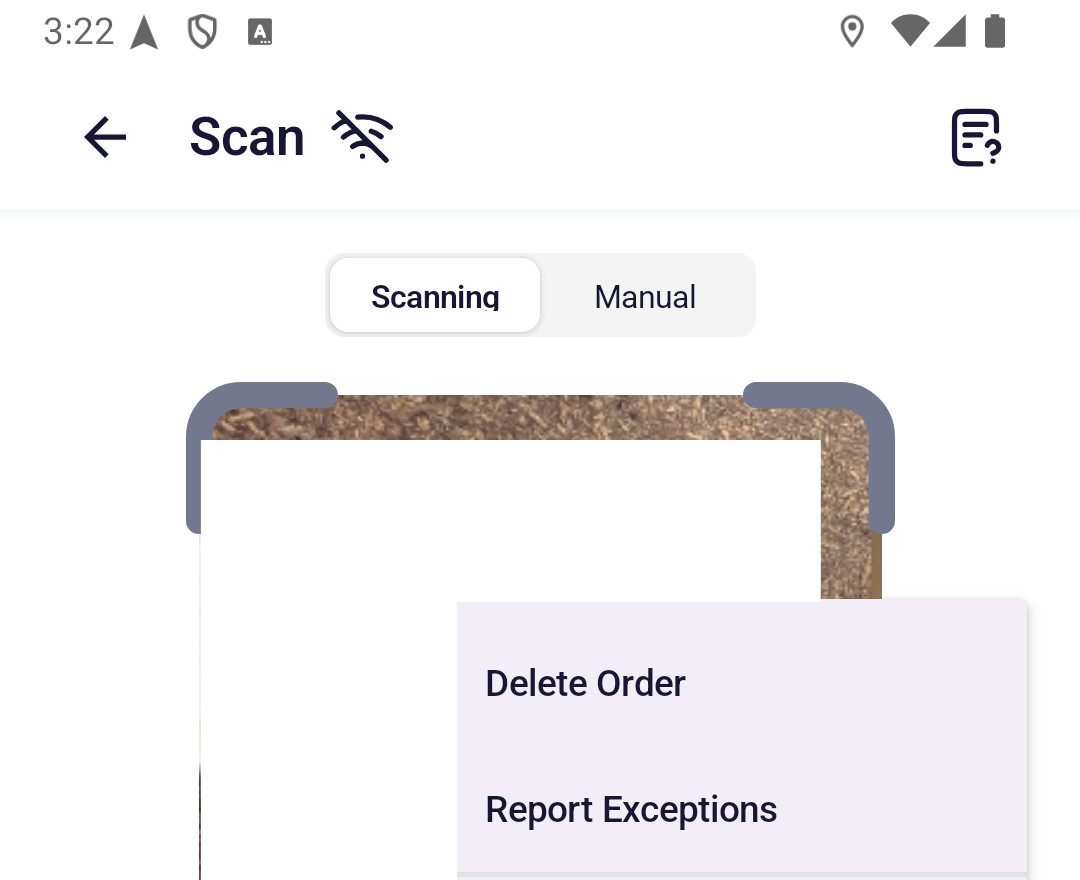
The action and available types depend on what you are doing at the current stop:
| Current stop | Entry | Types shown |
|---|---|---|
| Delivering to a customer | Shown | Missing, Damaged, Wrong Delivery |
| Collecting from a customer | Hidden | – |
| Collecting from the first warehouse | Shown | Missing, Damaged |
| Returning a customer return order | Shown | Missing, Damaged, Wrong Delivery |
| Other final warehouse returns | Hidden | – |
Even in a permitted row, the action is hidden when the order status is not reportable, the package was cancelled, the package has already been reported, or no unreported quantity remains. There is no disabled version of the action.
After you tap the entry, choose the type shown for the affected package on the Report Exceptions screen.
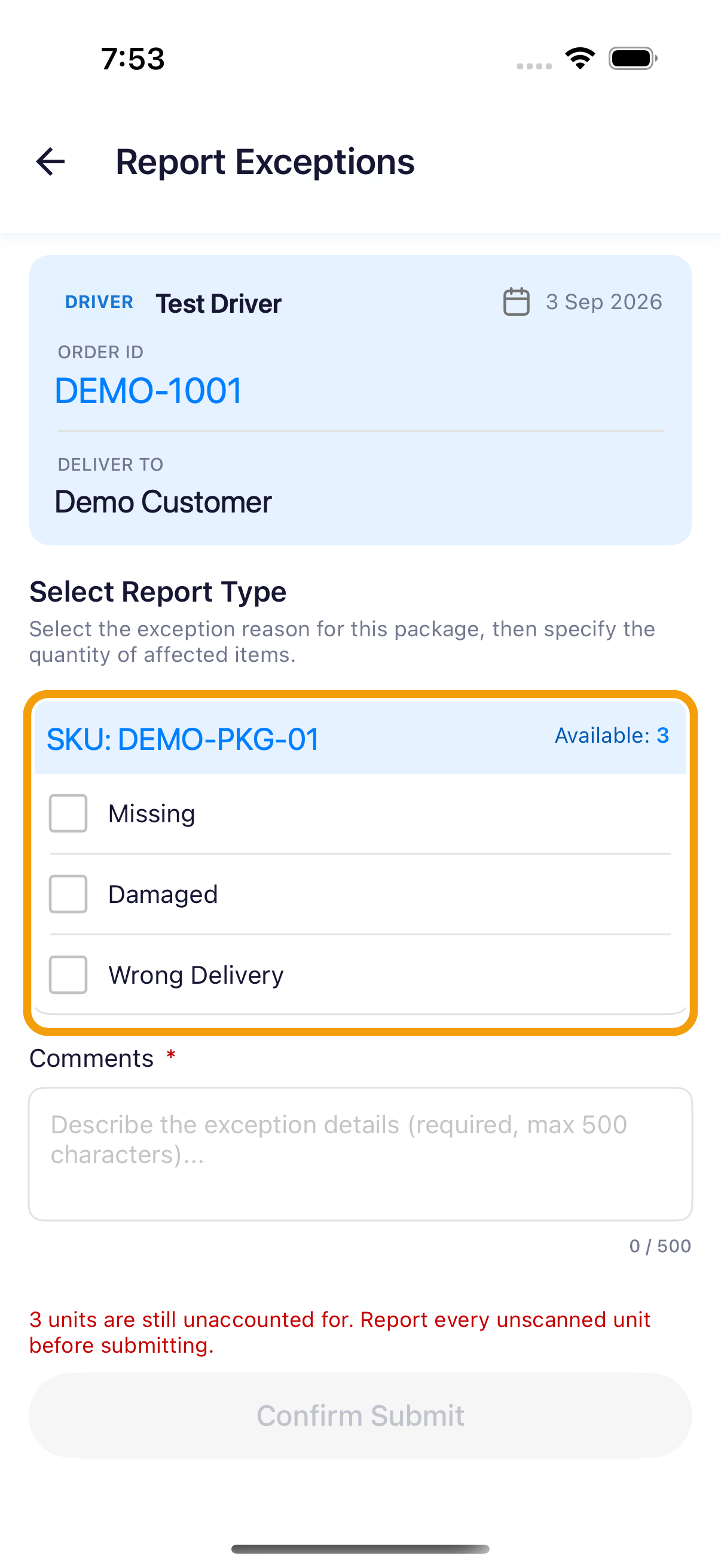
Submit an exception
-
At the current stop, tap Report Exceptions.
-
Check that the order and package shown are the items you need to report.
-
Select the applicable types and use the plus and minus buttons to set Affected Quantity for each. You can report several types for this package in one submission.
-
Make sure the total equals the package quantity that has not been scanned or reported. Scan unaffected packages first; do not count them as exceptions.
-
Add the required details:
- Damaged requires 1–5 photos.
- Wrong Delivery requires the incorrect package or SKU.
- Comments are required; describe what happened in no more than 500 characters.
-
Tap Confirm Submit and review the confirmation.
-
Tap Confirm Submit again when the details are correct. A submitted report cannot be edited or deleted.
An exception report needs a live connection and can be submitted only once for that package. Do not choose the nearest-looking type if the required action or type is missing; contact dispatch instead.