刪除帳號
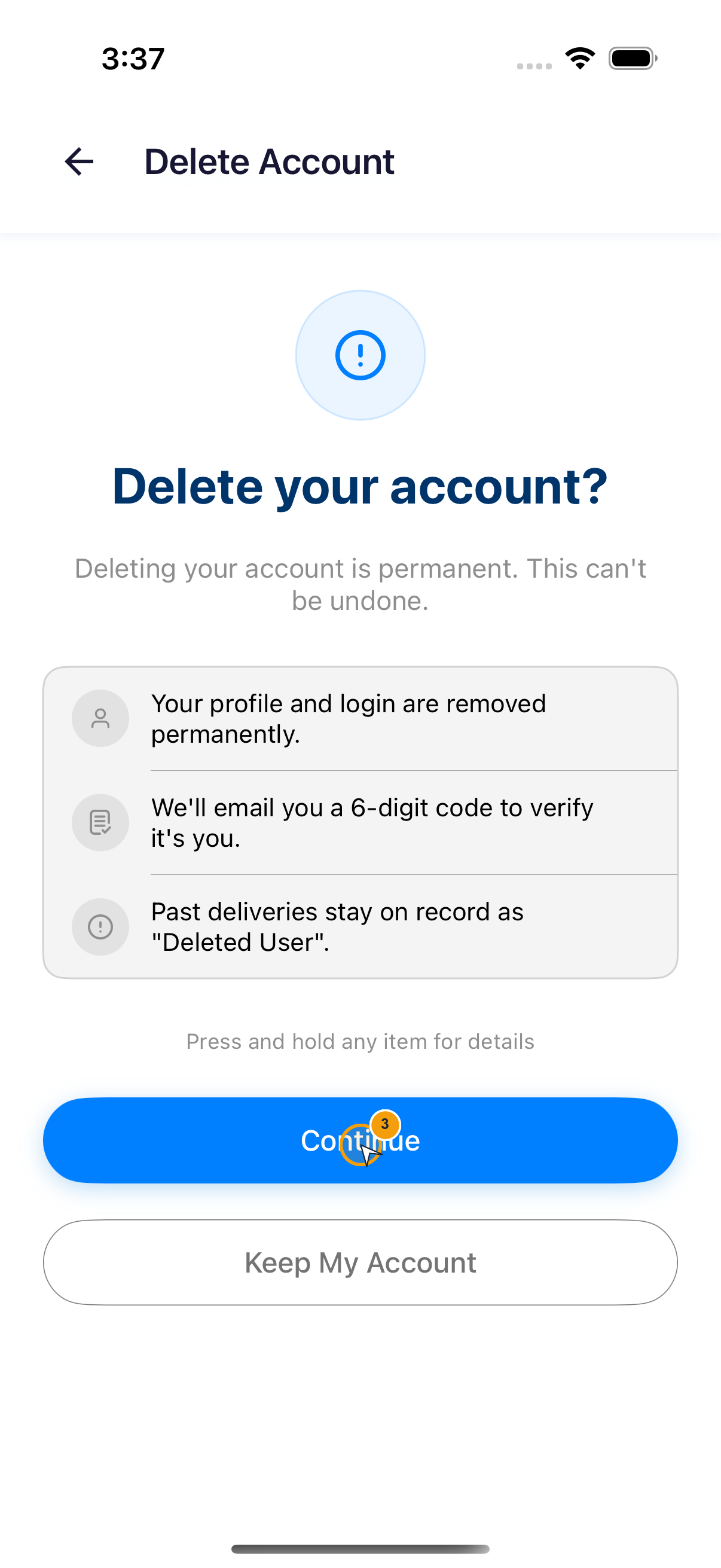
刪除帳號後不能復原。要驗證碼之前,先讀清楚這三個後果。
操作路徑:首頁底部導覽 → Profile → System → Delete Account。
完成確認
App 顯示 Account Deleted,而且已刪除的登入資料無法再開啟帳號。
繼續前請確認
- Your profile and login are removed permanently. (個人資料與登入會永久移除。)
- We'll email you a 6-digit code to verify it's you. (系統會寄送 6 位數驗證碼確認本人操作。)
- Past deliveries stay on record as “Deleted User”. (過去配送會以「Deleted User」保留在紀錄中。)
- 開啟 Profile,捲動到 System。
- 點選 Delete Account。
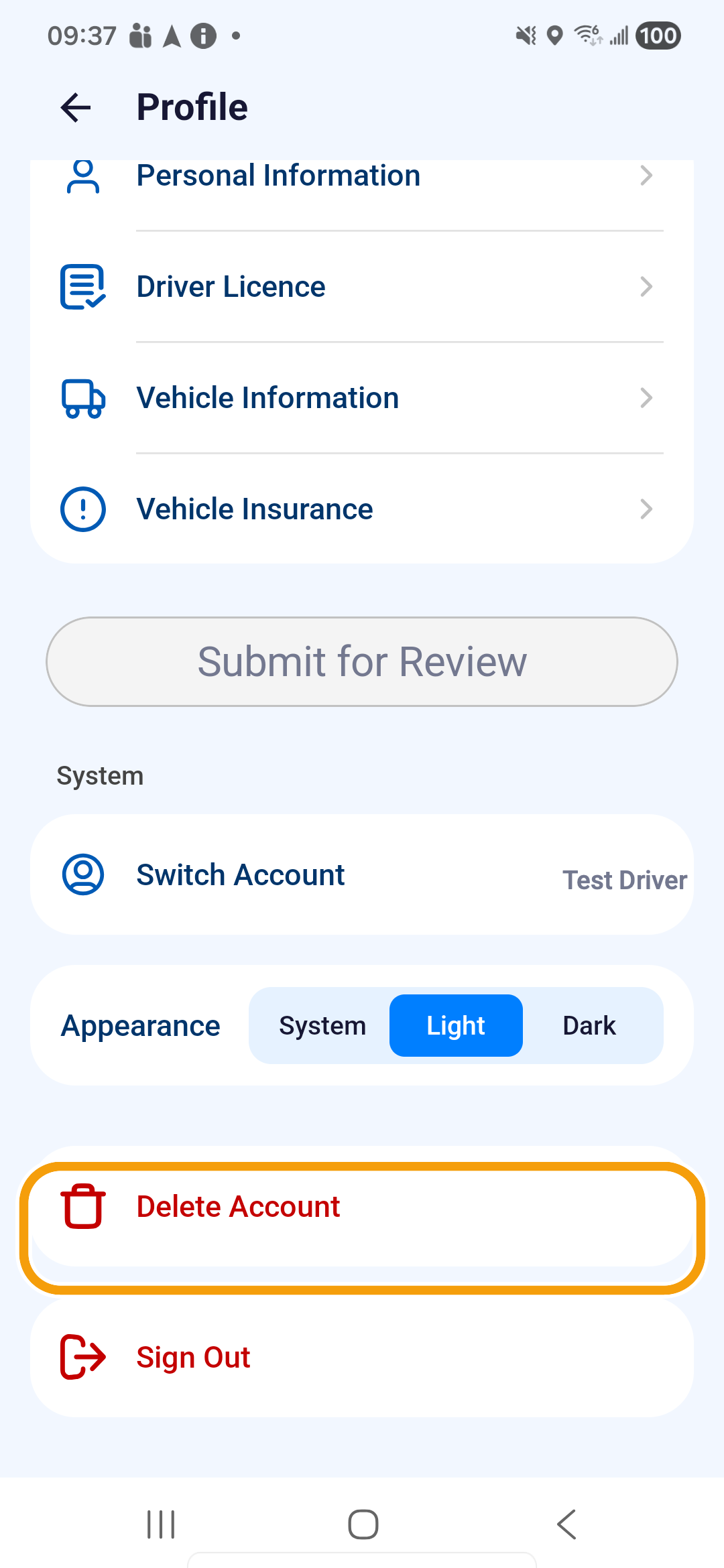
- 閱讀 Delete your account?;要停止就點選 Keep My Account,要繼續才點選 Continue。
- 輸入寄到註冊電子郵件的 6 位數驗證碼。輸入完成後,App 會自動驗證。
- 驗證成功後,填寫刪除原因,最多 500 字。
- 點選 Delete My Account。在 Delete Account? 確認視窗中,確定要永久刪除時,再點選 Delete。
- 等待 Account Deleted。